Why it matched
See the exact path, recognized tool, directory rule, and evidence strength behind every result.
SpaceLint is a safe disk space manager for Mac developers and local AI users. It finds storage used by Xcode, package managers, Docker, editors, models, and uninstalled apps—then explains why each item matched, what removal changes, whether it can be rebuilt, and how to recover it.
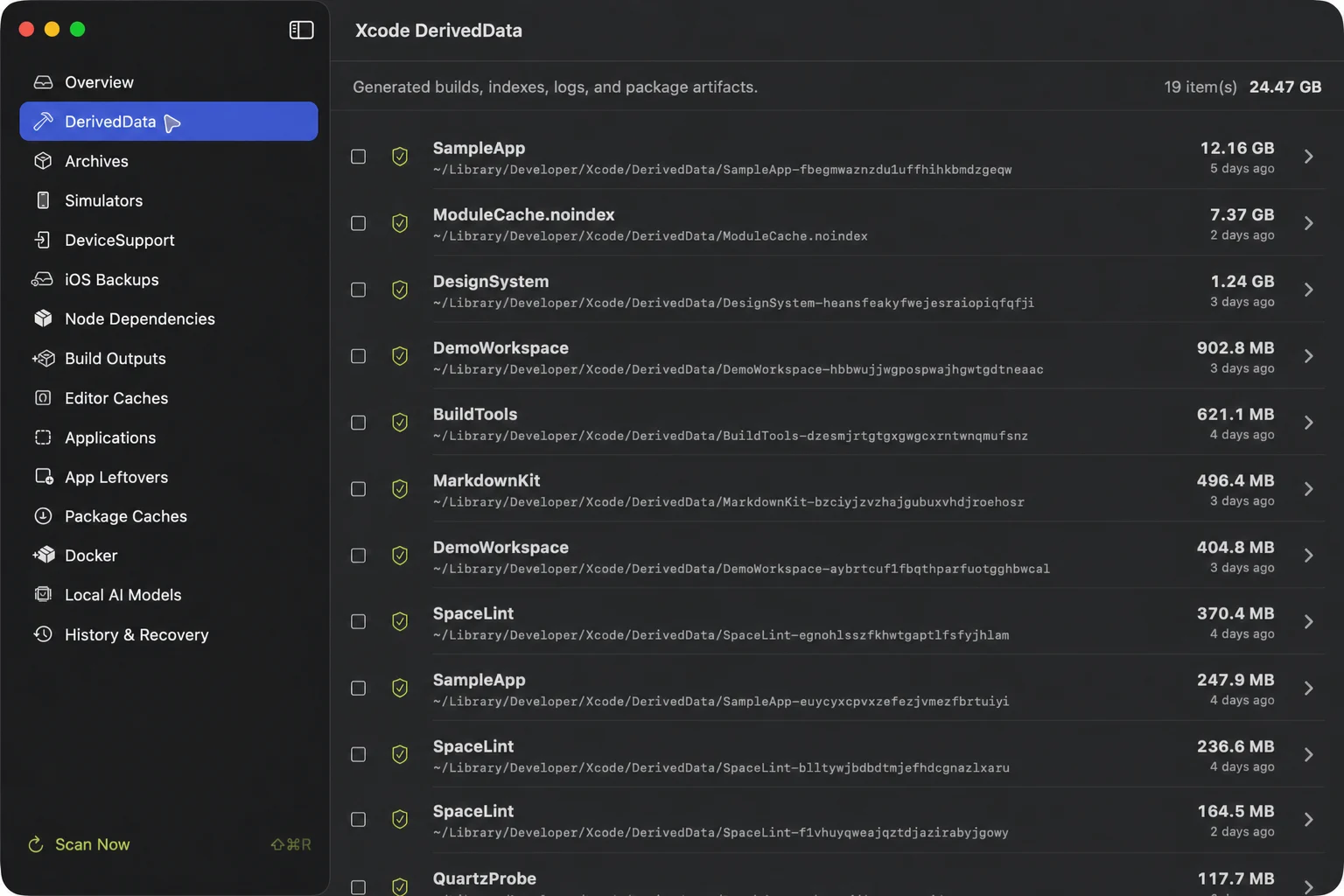
A large folder is not automatically junk. SpaceLint combines exact rules, activity, ownership, running-state checks, and recovery information so you can make the decision.
See the exact path, recognized tool, directory rule, and evidence strength behind every result.
Know whether a tool will rebuild the item, re-download it, lose history, or require a new backup.
Ambiguous data, running apps, shared containers, Docker volumes, and unreadable items stay unselected or display-only.
Project dependencies use observed activity thresholds; installed apps use available Spotlight last-used metadata.
Eligible files move to a same-volume quarantine and restore only when the original path is still safe.
Skip quarantine when capacity is critical, behind a separate typed confirmation that makes irreversibility explicit.
SpaceLint understands tool semantics instead of treating your Library folder as one generic cache bucket.
The scan never cleans automatically. Every eligible file operation becomes an immutable plan and is checked again before the Mac changes.
Inspect known locations and user-added project folders without uploading file names or contents.
Compare size, activity, reason, impact, risk, rebuildability, and recovery before selecting anything.
Move eligible items on the same volume for seven days while preserving their exact restore path.
Undo safely, or permanently remove after a fresh identity check and explicit typed confirmation.
Understand what each developer tool stores, what can be rebuilt, and what should be reviewed before removal.
What Xcode stores there, what rebuilding costs, and why Archives and DeviceSupport need different treatment.
Read the guide →Use project activity and lockfiles to separate rebuildable dependencies from active work.
Read the guide →Distinguish images, stopped containers, build cache, and volumes before reclaiming space.
Read the guide →Understand Ollama and Hugging Face storage without treating shared model data as generic cache.
Read the guide →Why bundle identity matters and why shared containers should not be selected by guesswork.
Read the guide →Know the difference between unavailable runtimes, simulator devices, and physical-device symbols.
Read the guide →SpaceLint Free has no trial clock and needs no license key. Scan every category and use individual Xcode DerivedData cleanup for as long as you want; upgrade only when you need the broader Pro workflow.
$0forever
$14.99launch price
SpaceLint avoids performance promises and scare scores. Its job is to make storage decisions understandable and reversible.
No. Quarantined items still occupy the same disk. Use immediate permanent deletion only when you need capacity now and accept that the action cannot be undone.
Project scanning recognizes a narrow allowlist of generated folders and stops at those directories. Unknown folders and source trees are not cleanup candidates.
Most categories do not. macOS may require Full Disk Access for local iPhone and iPad backups. SpaceLint explains the protected path and links to System Settings.
No. SpaceLint Free is permanent, has no trial countdown, and does not ask for activation. A license key is required only when you choose to unlock Pro cleanup workflows.
No. Model storage is reported with tool-aware information. Protected or semantically ambiguous model data remains display-only until a safe operation exists.
Scanning and cleanup stay local. Checkout happens on Dodo Payments. License activation sends only the entered license key and an app-generated activation identifier.
Yes. History, exact restore, and management of already quarantined data are never locked behind the license state.
SpaceLint is one of five private, focused Mac utilities from the same independent studio.
Hide menu bar clutter and reopen hidden items from Shelf when you need them.
Organize your menu bar with Tuck → Visual launcherLaunch and organize Mac apps with a classic grid, keyboard search, and folders.
Launch visually with Facet → Markdown previewPreview Markdown locally with Quick Look, Mermaid, Math/LaTeX, and no remote rendering.
Preview Markdown with PeekMark → Network diagnosticsDiagnose DNS, TLS, routes, HTTP, ports, and APIs in one Mac workspace.
Diagnose networks with Quartz Probe →$14.99 once. Up to three personal Macs. Unlimited scanning stays free.